What Is ChatGPT Images 2.6? GPT Image 2.6 Explained
 GetAIPhotoEditor
ChatGPT Images 2.6 is OpenAI’s image model in ChatGPT and the API. See what GPT Image 2.6 can do and how it compares with ChatGPT and online photo editors.
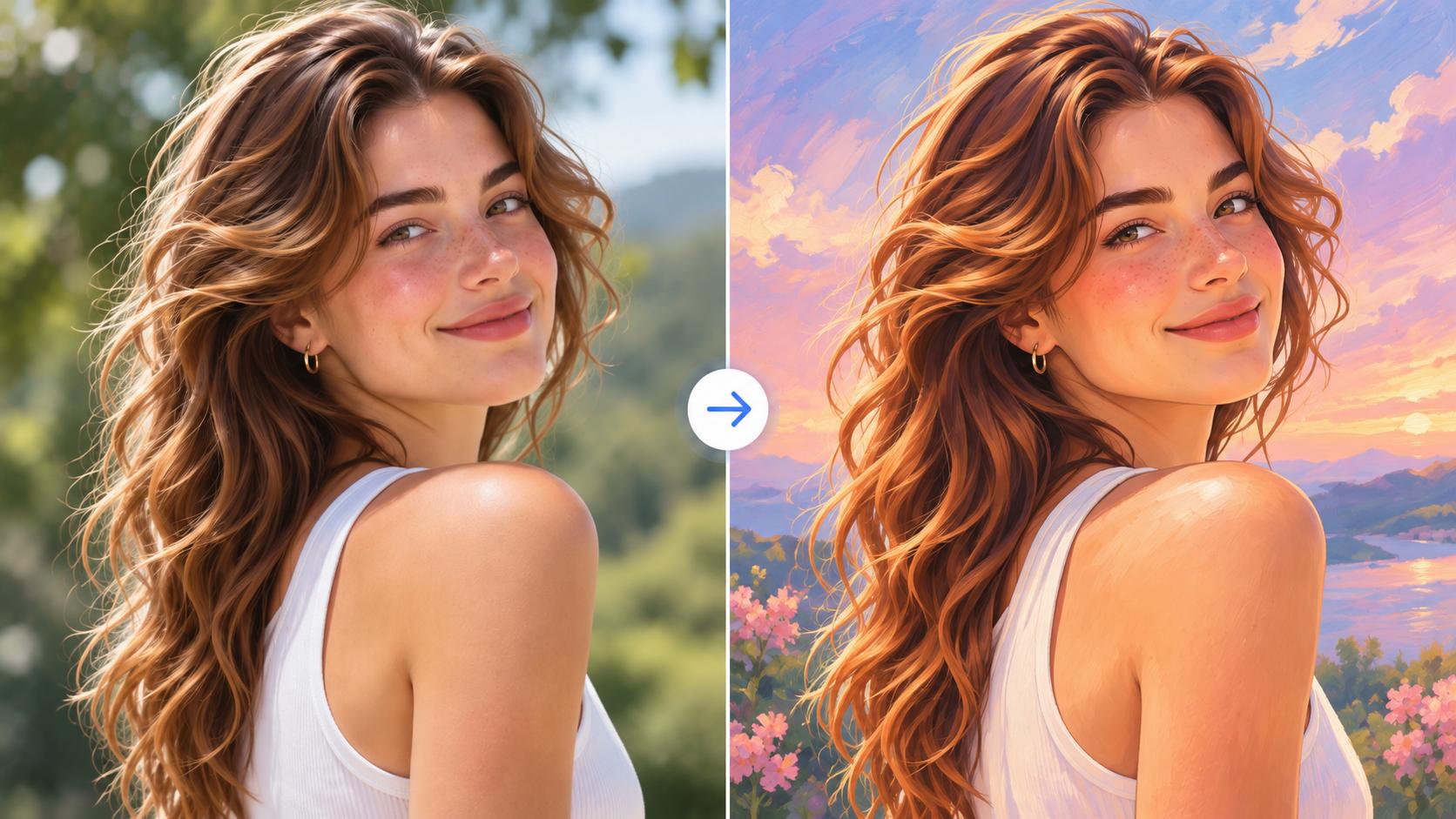
ChatGPT Images 2.6 is the name people use for OpenAI’s image release inside ChatGPT. OpenAI’s own announcement, published on November 4, 2026, calls that release Images 2.6 and says it is available in ChatGPT, Codex, and the API. In the API the same release is GPT Image 2.6, with two model ids: gpt-image-2.6-flare and gpt-image-2.6-sunburst. Flare is the faster model. Sunburst is for finer detail and more consistent edits. Both can create images from text and edit images you provide. This guide sticks to what OpenAI documents, then explains what GetAIPhotoEditor’s browser editor actually runs today.
What ChatGPT Images 2.6 is
OpenAI’s Introducing Images 2.6 post, dated November 4, 2026, says the release is available globally in ChatGPT and Codex on every subscription tier, on desktop, mobile, and web. The API name for that release is GPT Image 2.6.
- Images 2.6 is the product name, including the version inside ChatGPT.
- GPT Image 2.6 is the API family. A request names the model.
- Flare (
gpt-image-2.6-flare) is the smaller, faster model. - Sunburst (
gpt-image-2.6-sunburst) is the model for finer detail and more consistent edits.
The announcement does not describe a Flare versus Sunburst menu inside ChatGPT. That choice is an API setting. “ChatGPT Images 2.6” in ordinary search language means Images 2.6 inside ChatGPT, not a third model id.
OpenAI also says Images 2.6 generates images 50% faster than before, and that Flare can generate an image in as little as six seconds when quality is set to low. Those are OpenAI’s generation figures. They are not a timing guarantee for every edit, and they are not a speed claim for GetAIPhotoEditor.
What it can do
Both model pages say Flare and Sunburst take text and image inputs and return an image. Both support v1/images/generations and v1/images/edits. They do not support the Responses API. The controls below are from the image prompting guide and the image generation guide. They describe the API, not a button list in ChatGPT or on GetAIPhotoEditor.
- Text to image and image to image. A prompt can create a picture. The edits endpoint can change an image you supply. Name what must stay the same, then check the result.
- Reference images. The generation guide says an edit can use one or more reference images. With markup, the overlay applies to the first image and any further images are references.
- Markup or a mask, not both. Markup is a transparent PNG the same size as the first image. OpenAI says it was already in ChatGPT and came to the API with this release. The generation guide also describes a mask, and it says not to send markup and a mask in one request.
- Quality and complexity. Quality is
auto,low,medium,high,xhigh, ormax(how much detail). Complexity islow,medium, orhigh(how much planning). Omit complexity and both models usehigh. OpenAI suggests low complexity for many edits, because a higher setting can take longer and change more than you asked. - Transparent backgrounds.
auto,opaque, ortransparent. For PNG or WebP, check the alpha channel. A drawn checkerboard is not transparency. - PNG, JPEG, WebP, GIF, and SVG. Generations can also return GIF or SVG. GIF works on edits, so a still can guide an animation. SVG is generate-only: edits do not output it, and an SVG is not a valid input for a later edit. The file is a static vector, without scripts or embedded photos.
- Size.
auto, or a size such as 1024×1024, 1536×1024, or 1024×1536. Custom sizes use multiples of 16 and an aspect ratio from 1:3 to 3:1.
Quote any words that must appear, then read them in the output. The prompting guide does not promise perfect type.
Published token rates match on both model pages: text input $5 per million tokens ($1.25 cached), image input $8 per million ($2 cached), image output $30 per million. That is not a flat price per picture. Token use can differ at the same quality, GIF cost follows the frame count, and SVG also bills the model that writes the vector. Markup has no extra fee.
Flare vs Sunburst
The prompting guide calls Flare the model to try when response time matters, and Sunburst the one for detail, layout, or edit accuracy. The announcement adds that low-quality Flare can return an image in as little as six seconds, and that Flare also improves layout quality for posters, product shots, and other professional visuals. Sunburst is the recommendation for higher-quality generation and more consistent edits at medium or high quality.
OpenAI’s own test order:
| If this is your situation | Model to test first |
|---|---|
| Your current GPT Image 2 results are already good enough, or you use GPT Image 2.5 Flare | gpt-image-2.6-flare |
| GPT Image 2 falls short on a complex task, or you use GPT Image 2.5 Sunburst | gpt-image-2.6-sunburst |
If Sunburst meets the bar, OpenAI suggests trying Flare with the same prompt, reference images, size, and quality, then comparing the pictures and the wait. You are not required to use both.
GetAIPhotoEditor does not ask you to make this choice. The editor calls GPT Image 2.6 Flare’s edit model: fal.ai openai/gpt-image-2.6/flare/edit, or Replicate openai/gpt-image-2.6-flare, depending on site configuration. The on-screen label is “GPT Image 2.6.” There is no Sunburst option in the product.
ChatGPT Images, GPT Image 2.6, and older GPT Image
These names belong to one family. The ids are not interchangeable.
Images 2.6 in ChatGPT is the chat. You describe a picture or refine one in the thread. It is on every subscription tier. The announcement does not publish a Flare/Sunburst switch or a quota per tier.
GPT Image 2.6 in the API is the request. You send gpt-image-2.6-flare or gpt-image-2.6-sunburst to the Image API. Both model pages support generation and edit, and both mark the Responses API as not supported.
GPT Image 2.5 already had Flare and Sunburst, and OpenAI’s cost notes put 2.5 and 2.6 on the same quality ladder: low, medium, high, xhigh, and max. The Images 2.6 announcement adds complexity, API markup, SVG, and GIF.
GPT Image 2 (gpt-image-2) is still documented for older workflows. Its quality list is low, medium, high, or auto, with no 2.6 complexity setting. The table above is OpenAI’s move from 2 or 2.5 onto 2.6.
Older ids. The prompting reference says gpt-image-1 shut down on October 23, 2026, and gpt-image-1.5 is scheduled to shut down on December 1, 2026. DALL·E is an earlier brand, not the id for Images 2.6. Nano Banana is a different family. This site used Nano Banana 2.1 before the current Flare edit path. The live editor is GPT Image 2.6 Flare.
ChatGPT vs an online editor like GetAIPhotoEditor
ChatGPT is a conversation. The API is a model id plus parameters. GetAIPhotoEditor is a form: one photo, one instruction, a credit cost, and a file.
Use ChatGPT while you are still deciding what the picture should be, including a GIF of the kind the announcement describes. Use the API when a product needs gpt-image-2.6-flare or gpt-image-2.6-sunburst, with SVG, GIF, markup, complexity, or several reference images. Use GetAIPhotoEditor when the photo already exists and the job is to remove an object, replace a background, or adjust light and color.
On this site you upload one JPG, PNG, or WebP up to 10 MB, write a prompt of up to 2,000 characters, pick a quality, and generate. The file comes back as a PNG at the original aspect ratio. The editor does not offer Sunburst, GIF, SVG, markup, masks, several reference images, or complexity.
Credits are the site’s price, not OpenAI’s token bill. The quality menu on the live editor is:
| Quality | Credits | Shown in the editor as |
|---|---|---|
| Low | 6 | Fast, cheap previews while you iterate on the prompt. |
| Medium | 10 | Everyday edits with a balanced cost. This is the default. |
| High | 13 | Sharper detail for portraits and product shots. |
| Extra high | 22 | Fine text and complex scenes. |
| Max | 50 | Highest fidelity finals. Slowest and most expensive. |
New visitors get 10 credits without an account, enough for one medium edit, and 10 more after they create an account. More credits are one-time packs of 200, 500, or 1,200, valid for 365 days, on the pricing page. There is no subscription. A higher quality spends more credits. It does not recover detail that was never in the file. Review faces, text, hair, and product edges before you publish.
Practical editing workflows
The tools page lists three jobs. Each tool route opens the homepage editor. That editor has starter prompts for Remove Object, Change Background, Enhance Photo, and Change Style. Portrait retouch and clothing-wrinkle cleanup are homepage examples, not separate pages. You need the right to edit the photo. See the acceptable use policy.
Remove an object
Open the AI object remover, upload the photo, and name the object. The tool’s example is: “Remove the unwanted object in the background. Reconstruct the background naturally and keep everything else unchanged.” Shadows, crowded scenes, and overlap often need another pass. Say what must stay.
Change the background
Open the AI background changer and describe the new setting. The example is a clean, softly lit professional studio, while keeping the subject’s face, pose, and clothing. Check hair and the edge where the subject meets the new background.
Enhance a photo
Open the AI photo enhancer. The example asks for better lighting, sharpness, and color while keeping the photo natural and preserving facial and product details. Medium is the default 10-credit edit. Low costs 6 credits and is enough to test wording. Move up only when medium is missing detail you can see. Enhancement will not rebuild a face or a label that the file never contained.
The upload, review, and download loop is covered in How to Edit Photos with AI. For one of these three jobs, open the editor, describe the change, and read the credit count on the button before you generate.
FAQ
Is Images 2.6 the same as GPT Image 2.6?
Same release, two names. Images 2.6 is OpenAI’s name in ChatGPT, Codex, and the November 4, 2026 announcement. GPT Image 2.6 is the API family: gpt-image-2.6-flare and gpt-image-2.6-sunburst.
Is it free?
OpenAI says Images 2.6 is on every ChatGPT and Codex subscription tier, and it does not publish an image quota. API calls use the token rates above, so the bill still depends on size, quality, and format. GetAIPhotoEditor gives 10 credits without an account and 10 more with a new account. After that, edits use a one-time credit pack.
Can it edit an existing photo?
Yes. Both model pages support the image edit endpoint. The ChatGPT announcement is about editing rounds, not only new images. GetAIPhotoEditor is the narrow version of that job: one photo, a prompt, and a PNG.
How is it different from DALL·E, older GPT Image, or Nano Banana?
Current OpenAI docs use GPT Image ids. gpt-image-1 has shut down, gpt-image-1.5 is scheduled to shut down on December 1, 2026, and the 2.6 migration notes talk about GPT Image 2 and 2.5. DALL·E is an older brand, not the id for this release. Nano Banana is a different model. This site’s editor now calls GPT Image 2.6 Flare, not Nano Banana 2.1.
Does ChatGPT use Images 2.6 automatically?
The announcement says Images 2.6 is available in ChatGPT on desktop, mobile, and web for every subscription tier. It does not tell people to flip a switch, and it does not document a Flare or Sunburst picker in the chat app. An API request has to name the model id itself.
Which model does GetAIPhotoEditor use?
GPT Image 2.6 Flare, on the edit endpoint. The screen says “GPT Image 2.6” and shows a quality from low to max with a credit cost. It does not offer Sunburst, GIF, SVG, markup, masks, or several reference images.
Do higher credits buy a different OpenAI model?
No. Low through max are quality settings on the same Flare edit. They match OpenAI’s low, medium, high, xhigh, and max values. They are not a move from Flare to Sunburst. Medium is the default and costs 10 credits.
What should I check before downloading?
Read faces, hands, logos, and any words. Look at edges after an object removal or a background change. A sharper photo can still contain invented detail. If something that should have stayed still has moved, generate again with a tighter prompt.
Sources
- Introducing Images 2.6, OpenAI, November 4, 2026. Name, ChatGPT and Codex availability, speed, GIFs, API markup, and complexity.
- GPT Image 2.6 Flare and GPT Image 2.6 Sunburst. Model ids, inputs, supported endpoints, and token rates.
- Image prompting. Quality, complexity, size, transparency, formats, markup, the Flare versus Sunburst table, and the
gpt-image-1andgpt-image-1.5dates. - Image generation. Reference images, masks, SVG, GIF, and the note that equal token rates are not an equal cost per image.
GetAIPhotoEditor facts here are from the live site and this repository: the Flare edit model ids, the credit table, the 10 MB limit, and the tool routes above.